
Instant Whatsapp Delivery

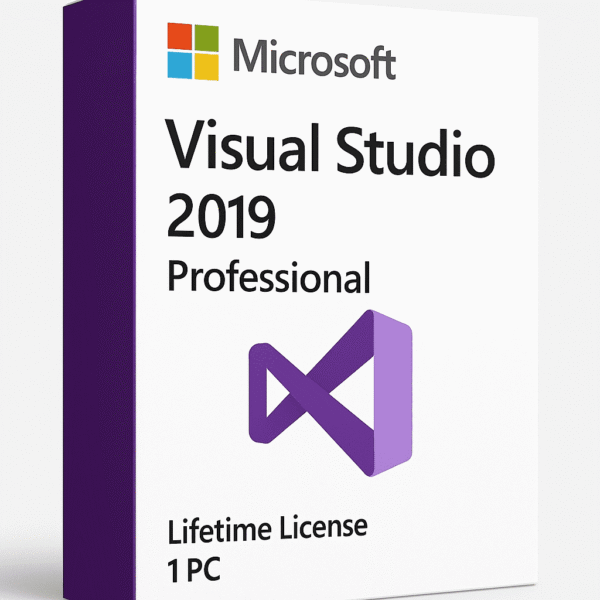
Visual Studio 2019 Professional – Lifetime Activation License Key for 1 PC
₹905.00
What You Receive
Official Visual Studio 2019 Professional Product Key – Genuine, lifetime-valid activation key for one PC.
Official Download Link – Secure link from verified Microsoft servers for safe installation.
Detailed Installation Instructions – Step-by-step guide for setup and activation.
License Document & Purchase Proof (on request) – Valid proof of authenticity and ownership.
Lifetime Usability on One Device – One-time activation with permanent access.
Access to Visual Studio Marketplace Extensions – Enhance functionality with thousands of official add-ons.
Buy with confidence
- Secure Payments - Card / UPI / Wallets
- Instant Whatsapp Delivery
- Satisfaction Guarantee
- 24/7 Customer Support
- No physical CD/DVD or box will be shipped.
Microsoft Visual Studio 2019 Professional – Lifetime Digital License
Code • Collaborate • Create Smarter
Visual Studio 2019 Professional is the complete IDE for developers who need powerful tools to design, build, and deploy software efficiently across platforms. With a one-time activation and lifetime license, it delivers speed, flexibility, and enterprise-grade capabilities without recurring subscription costs.
Product Overview
| Parameter | Details |
| Edition | Visual Studio 2019 Professional |
| License Type | Lifetime Digital License |
| Activation | One-Time Activation (Permanent) |
| Devices Supported | 1 PC |
| Architecture | 64-bit |
| Delivery | Instant Digital Delivery (via Email) |
| Compatibility | Windows 10 / Windows 11 |
| Format | Digital Download (Online Activation) |
Why Choose Visual Studio 2019 Professional
All-in-One Development Environment – Build apps for desktop, web, mobile, and cloud platforms in one unified IDE.
Lifetime Access – Activate once, use forever — no monthly or annual fees.
Smarter Coding Experience – IntelliSense, CodeLens, and AI-based IntelliCode boost coding accuracy and speed.
Advanced Debugging & Diagnostics – Detect and fix errors faster with performance profilers and live debugging.
Built-in Git Support – Manage repositories and branches directly from within the IDE.
Seamless Collaboration – Work together using Visual Studio Live Share for real-time code editing and debugging.
Cloud & DevOps Integration – Build, test, and deploy easily through integrated Azure and Docker tools.
Ideal For
- Professional Developers & Startups – Build scalable, production-ready applications efficiently.
- Freelancers – Deliver polished solutions to clients with full professional-grade features.
- Students & Learners – Practice real-world development using industry-standard tools.
- Small Businesses & Teams – Collaborate effectively and manage projects with built-in productivity tools.
- Game & App Developers – Create robust gaming and mobile solutions using cross-platform frameworks.
Core Features
- Smart Code Editing: IntelliSense, syntax highlighting, refactoring, and quick actions.
- Git Integration: Clone, commit, push, and merge directly from the IDE.
- Cross-Platform Development: Build apps for Windows, Android, iOS, and web.
- Live Share: Collaborate and debug in real time across teams.
- Performance Profiling: Identify bottlenecks using advanced diagnostics tools.
- Code Cleanup: Automatically format and fix code style issues.
- Cloud Development: Native Azure integration and container support for cloud deployment.
New Enhancements
- Improved Startup Time – Faster project loading and responsive IDE performance.
- Enhanced Git Management – Branch, pull request, and merge operations made easier.
- Cleaner User Interface – Intuitive menus, dark mode, and modern visual layout.
- Support for .NET 5 and Core – Build next-gen web and desktop apps.
- Refined Collaboration Tools – Improved Live Share performance and debugging sync.
System Requirements
| Component | Minimum Requirement |
| OS | Windows 10 / 11 (64-bit) |
| Processor | 1.8 GHz or faster, dual-core |
| RAM | 4 GB (8 GB recommended) |
| Storage | 20 GB free disk space |
| Display | 1366 × 768 or higher |
| Internet | Required once for activation |
What You’ll Receive
Visual Studio 2019 Professional License Key (Lifetime)
Official Download Link
Supports 1 PC (Windows 10/11 – 64-bit)
Step-by-Step Activation Instructions
No Subscription Required – One-Time Purchase
Security & Stability
- Verified activation via official Microsoft servers.
- Offline usability after activation for privacy and control.
- Built-in code analysis and credential protection.
- Regular patches during Microsoft’s support lifecycle.
Lifetime License Benefits
- One-time payment, lifetime validity.
- Full professional suite — no limitations, no renewals.
- Ideal for long-term use in professional or educational environments.
- Maintain ownership and stability without forced upgrades.



Reviews
There are no reviews yet.